Why the knowledge base matters
The knowledge base is what your AI assistant reads before it answers. Instead of inventing responses, Glimpze retrieves the most relevant passages from the content you provide and answers from those. Give it good material and the assistant becomes a genuinely useful first responder; leave it empty and you will get vague, generic replies.
You will find this under AI → Knowledge base in the dashboard.

How it works in one paragraph
When a visitor asks something, Glimpze turns their question into a search, finds the closest-matching chunks of your knowledge base, and hands those chunks to the AI as context. This is why the quality and coverage of your sources matters more than clever prompt wording — the assistant answers from what it retrieves.
Step 1: Choose a source type
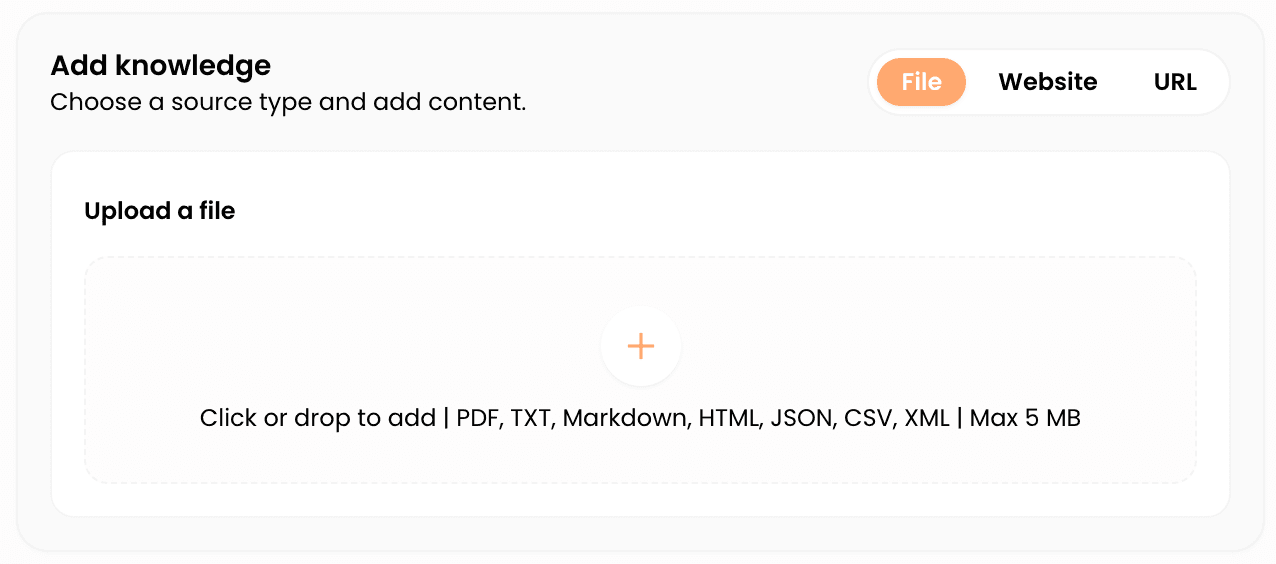
In the Add knowledge panel, pick one of three source types:
Upload a file — drop in a document (for example a PDF, text, or markdown file). Files are capped at 5 MB each; split anything larger.
Add a web page (URL) — paste a single page address. Glimpze fetches and ingests that page. If you leave off https://, it is added for you.
Website / sitemap — point Glimpze at a sitemap to pull in many pages at once, rather than adding them one URL at a time.
Step 2: Queue and ingest
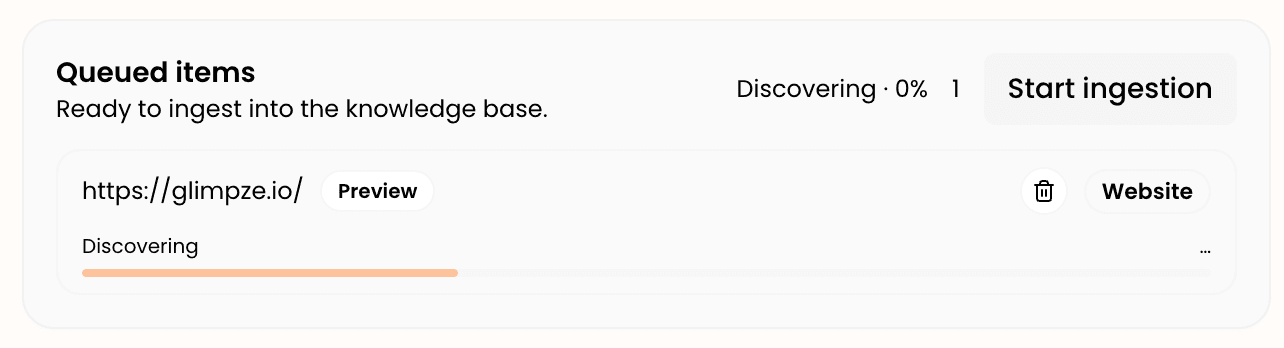
Adding a source queues it — it is staged but not yet searchable. You will see it land in the queue with a status like “queued” or “Ready for ingestion.” When you have added everything you want, click Start ingestion. Glimpze then processes each source: extracting text, splitting it into chunks, and indexing it for retrieval.
Processing runs in the background and the status updates as it goes (“processing” → “active”). Large sitemaps take longer than a single page.
Step 3: Review your ingested sources
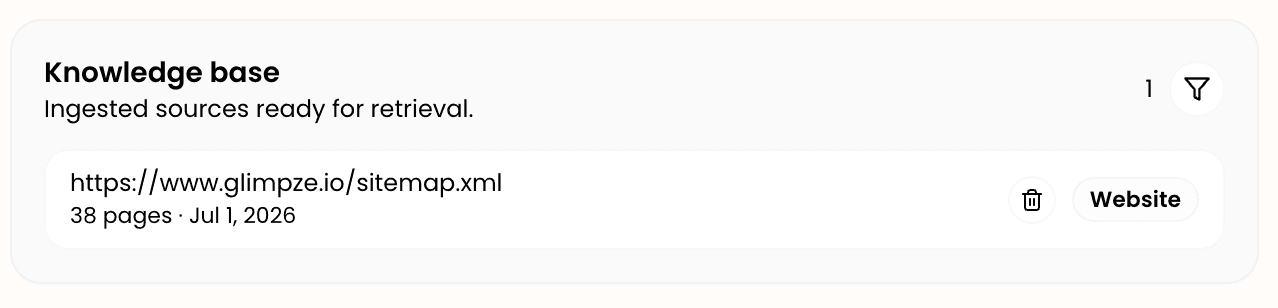
Once processing finishes, sources appear under Knowledge base — ingested sources ready for retrieval. Use the filter to view everything, just files, or just URLs. To remove something that is outdated or wrong, use the remove control on its row — the assistant stops using it immediately.
Keep this list curated. Stale pricing pages, superseded policy docs, or duplicate content will surface in answers just as readily as your best material.
Tips for a knowledge base that actually helps
Lead with the questions visitors actually ask — FAQs, pricing explanations, onboarding steps, and policies earn their place faster than marketing copy. Prefer clean, well-structured pages; the clearer the source, the cleaner the retrieved chunk. Revisit the list on a schedule and prune anything out of date, because the assistant has no way to know your Q2 pricing page was replaced unless you remove it. And when you change a source on your site, re-ingest it so the knowledge base reflects the current version.
What to do next
- Set up your AI assistant — the name, avatar, and system prompt, if you have not done that yet.
- AI actions & workflows — turn good answers into booked meetings, started calls, and captured details.